As a writer, I know firsthand that creating great content isn’t just about putting words on a page, but also about ensuring it is optimized for search, readability, and user intent. That’s where content optimization software comes in.
These tools are designed to take the guesswork out of SEO and help writers craft content that both readers and search engines love.
In 2026, as you may have guessed already, with AI taking over, the content game is going to be more competitive and strategic than ever. This is all the more reason why you can’t rely on writing skills alone and need the right content optimization software to stand out.
That’s why in this guide, I’m sharing the 6 best content optimization software for writers that I’ve used, tested, or reviewed in my own content strategy workflows. Each of these tools goes beyond basic keyword stuffing and helps structure, optimize, and scale content that ranks.
Let’s start with a definition.
What Is Content Optimization Software?
Content optimization software is an SEO tool that helps writers and marketers improve their content for both search engine visibility and user engagement.
These tools typically analyze your draft against top-ranking competitors and provide actionable suggestions for:
- Readability (sentence length, clarity, tone)
- Keyword usage (density, placement, variations)
- Content structure (headings, subtopics, internal links)
- On-page SEO elements (meta descriptions, alt text, schema)
Think of it as having an AI-powered editor and SEO coach working alongside you.
Instead of publishing content and hoping it works, you can optimize in real time and track performance after it goes live.
7 Best Content Optimization Software for Writers
1. SEOBoost

If I had to recommend just one tool to writers who want a mix of SEO precision and writing flow, it would be SEOBoost.
Unlike other tools that analyze only keywords or readability, SEOBoost is an all-in-one content optimization platform. It’s designed specifically for writers and agencies who need real-time feedback while creating content, without wasting hours cross-checking multiple tools.
I’ve personally used it while drafting blog posts, and it’s like having an SEO strategist by your side — flagging weak spots, suggesting improvements, and scoring your content as you write.
Winning Features
SEOBoost stands out because of its 5 integrated features that cover the entire content lifecycle. What I love most is that all these features are connected.
1. Topic Reports
The Topic Reports feature is one of SEOBoost’s biggest advantages over traditional keyword tools. Instead of just showing search volume and difficulty, Topic Reports break down a keyword into its semantic universe.
You can see related queries, content angles competitors are ranking for, question-based keywords, and topical clusters that build authority.
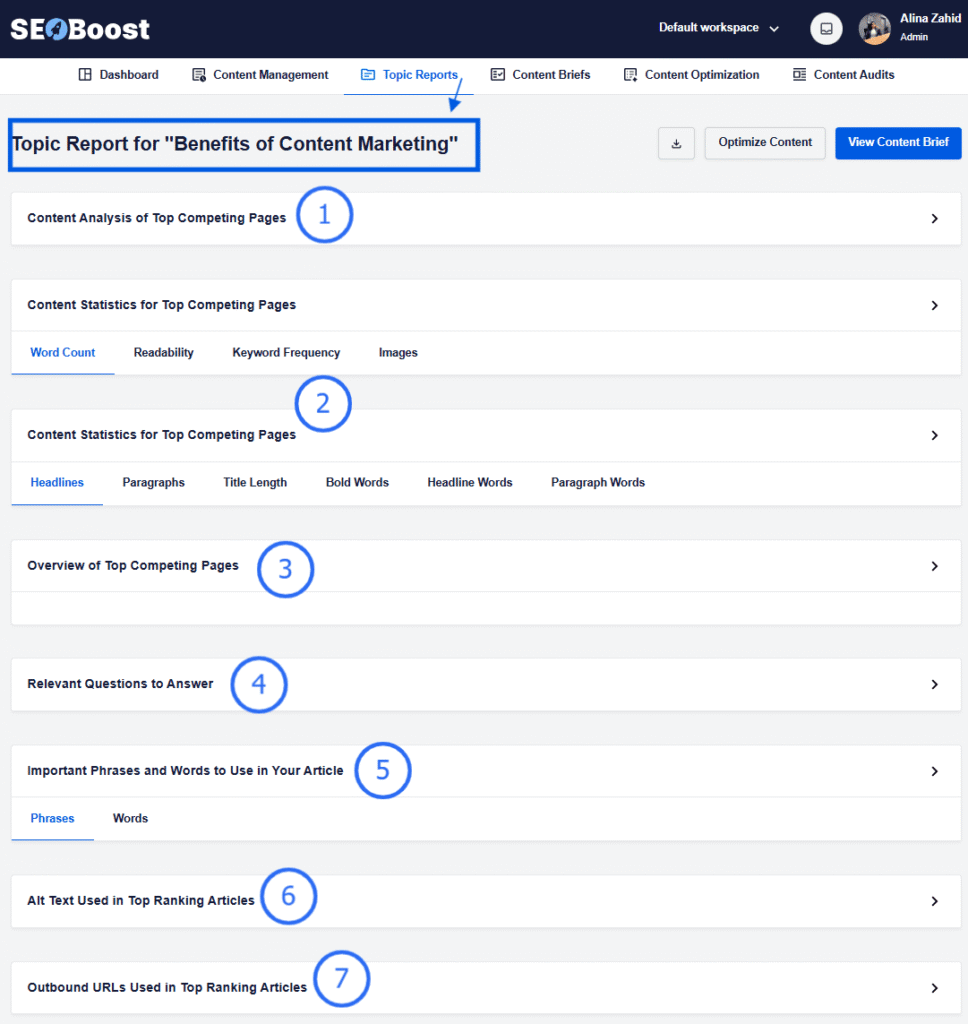
For each focus keyword that you input, you get 7 different types of reports. These analyze what the top-ranking pages include and reveal patterns in coverage, depth, and structure. This gives writers a strategic edge: you instantly understand what your audience wants, what competitors missed, and how to create a more complete piece of content.
Topic Reports eliminate the guesswork in ideation and ensure your content is rooted in real search intent, something most writers struggle with when using generic tools.
2. Content Briefs
SEOBoost’s Content Briefs take the pain out of planning.
Normally, building a good brief requires deep keyword research, manual SERP analysis, comparison of top pages, and handcrafted subtopic outlines, which usually takes hours.
SEOBoost automates the entire workflow.
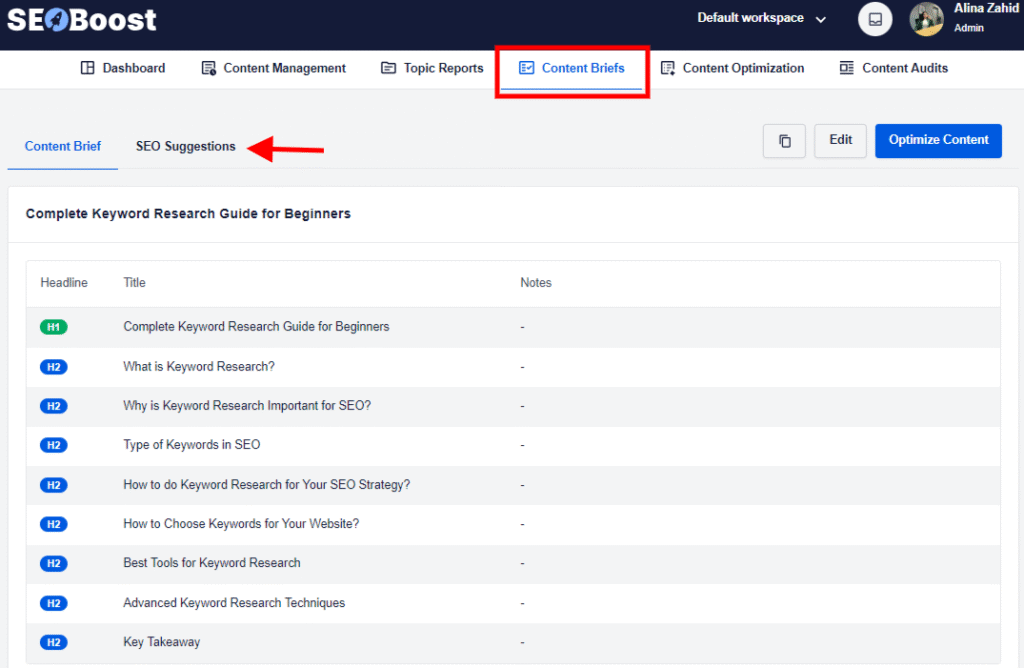
When you generate a topic report for a keyword, it also instantly generates a structured brief that includes the ideal word count, target keywords, must-cover subtopics, competitor patterns, and other important SEO suggestions.
Writers can pick up the brief and start drafting immediately with zero confusion. Because everything in the brief is built from live SERP data, every article begins with a strong foundation and is aligned with Google’s expectations from the very first sentence.
3. Content Optimization
SEOBoost’s Content Optimization feature works like a live editor that constantly evaluates your draft against actual ranking signals. As you write, the tool scans your headings, structure, keyword placement, readability, semantic depth, and overall SEO quality.
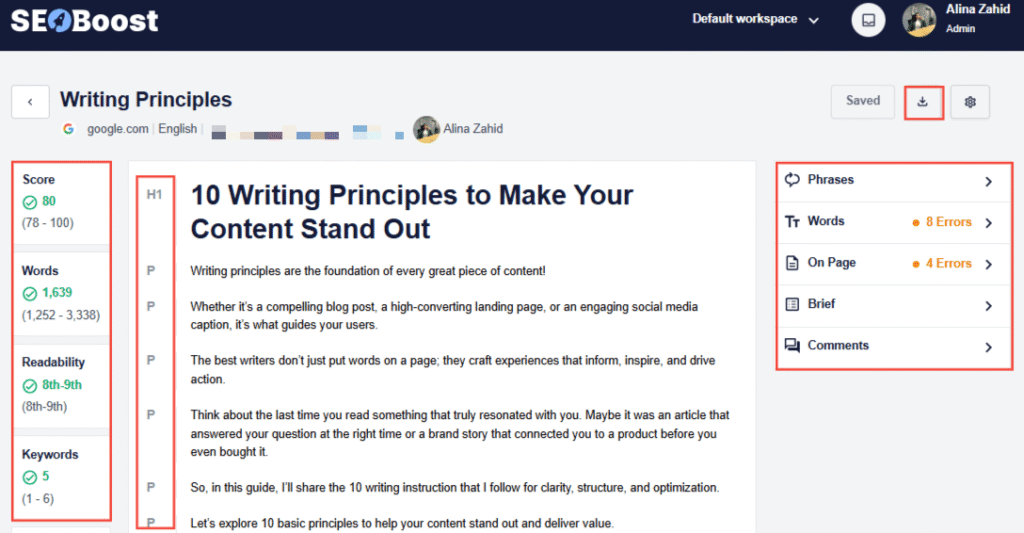
Instead of giving vague “good job” suggestions, it pinpoints exactly what’s missing to help you improve clarity and assigns an on-page SEO score.
What makes this so effective is that it eliminates guesswork. Writers don’t need to toggle between multiple tools or run manual checks.
You can see your score improve in real time as you make adjustments, which means cleaner drafts, fewer rewrites, and content that’s ready to compete the moment it’s published.
4. Content Audits
SEOBoost’s Content Audit feature allows you to monitor your existing content to identify posts that are losing visibility, slipping in rankings, or missing new SERP requirements.
You can create an audit report simply by putting the existing URL of your content (or any other content) to compare your draft with later.
Once you do that, you’ll get a detailed color-coded report for what’s missing and what improvements can be made.
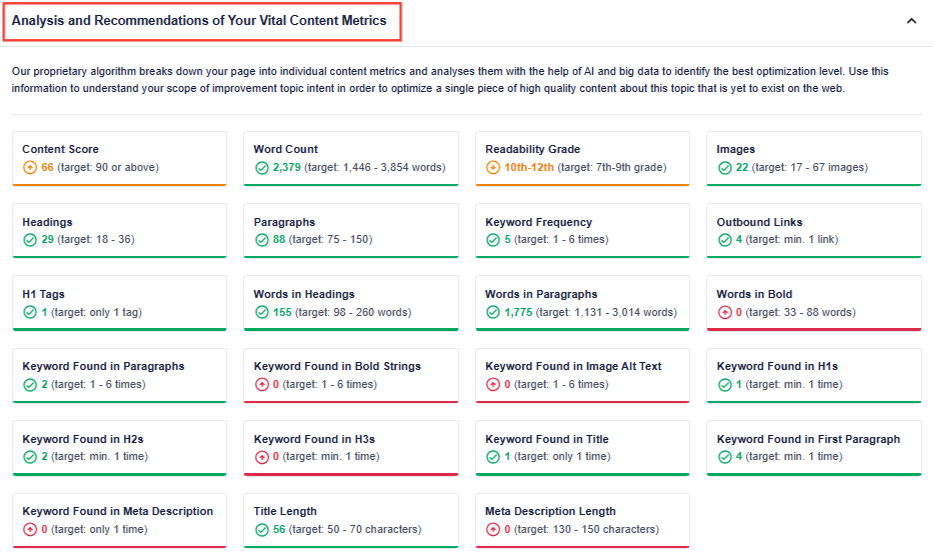
This can work 2 ways. You can either use it to improve your existing content or identify gaps in a competitor’s piece and then use that to your advantage.
For writers, this is game-changing: updating old content becomes faster than creating new articles, and you can recover traffic in days instead of months.
5. Content Management
Most teams use spreadsheets, Notion boards, Docs, and separate SEO tools at the same time, creating a scattered, inefficient workflow.
SEOBoost’s Content Management feature solves this by letting you manage everything in a single dashboard. You can track drafts, monitor optimization scores, assign tasks, review content briefs, and see metrics for your content pieces.
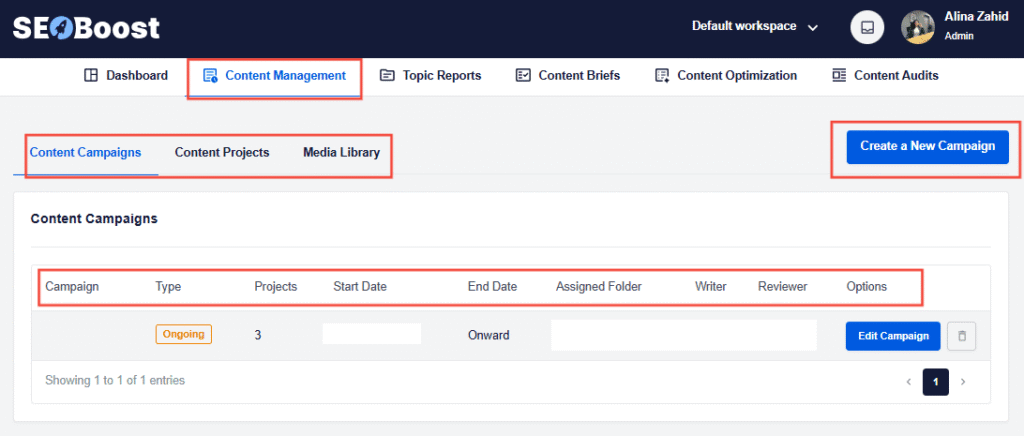
And this way, SEOBoost becomes the operational backbone of your content workflow. Writers don’t waste time switching tabs, managers don’t chase updates, and every piece of content stays connected from ideation to optimization. The result is a streamlined, data-backed content system that’s built for ranking at scale.
Pricing: SEOBoost is competitively priced for the value it delivers, with the essential plan starting at $30/month. Every plan includes the core features, with higher tiers unlocking more projects, users, and audits.
2. All in One SEO (AIOSEO)
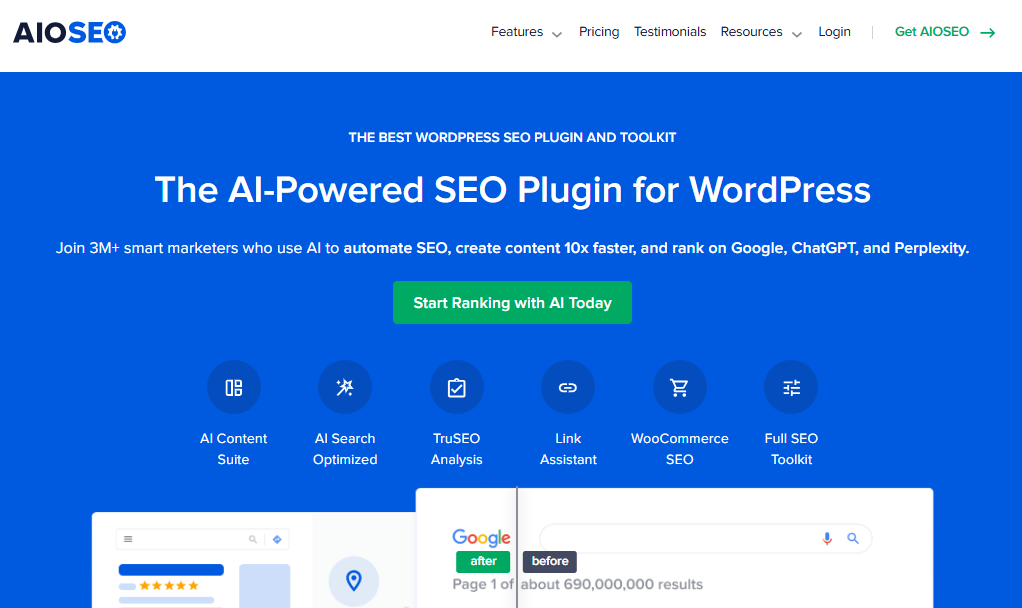
For WordPress users, All In One SEO is hands down the most powerful content optimization plugin. I’d recommend it to writers and content teams that want everything SEO-related integrated directly into their CMS without jumping between multiple platforms.
What makes AIOSEO special is that it’s built for writers and site owners who want to optimize content without needing deep technical SEO knowledge.
When I use AIOSEO, I notice how much time it saves. Instead of copy-pasting content into third-party tools, I get real-time optimization inside the WordPress editor. That seamless workflow makes it one of the most beginner-friendly yet advanced SEO solutions out there.
Winning Features
AIOSEO comes packed with features that go beyond basic SEO checklists. Here are the highlights for me:
- On-Page SEO Analysis: Built-in TruSEO score gives you actionable recommendations for keywords, meta tags, and readability.
- Schema Markup: Automatically adds structured data (e.g., FAQ, product, recipe) to improve the chances of ranking in rich snippets.
- Internal Link Assistant: Suggests smart internal links to strengthen your site’s structure and topical authority.
- Local SEO Module: Perfect for businesses that want to rank higher in local searches.
- Integration with SEOBoost’s Writing Assistant: Lets you pair AIOSEO’s optimization with AI-driven content briefs and keyword suggestions for even stronger results.
From schema to link-building, AIOSEO covers both on-page and technical optimization in a way that’s easy to manage from the WordPress dashboard.
Pricing: AIOSEO is one of the most affordable enterprise-grade plugins on the market, with the basic plan starting at $49.50/year, making it great for beginners or single-site owners. Each plan comes with unlimited keyword analysis and ongoing updates, making it a reliable long-term solution.
3. Semrush SEO Writing Assistant
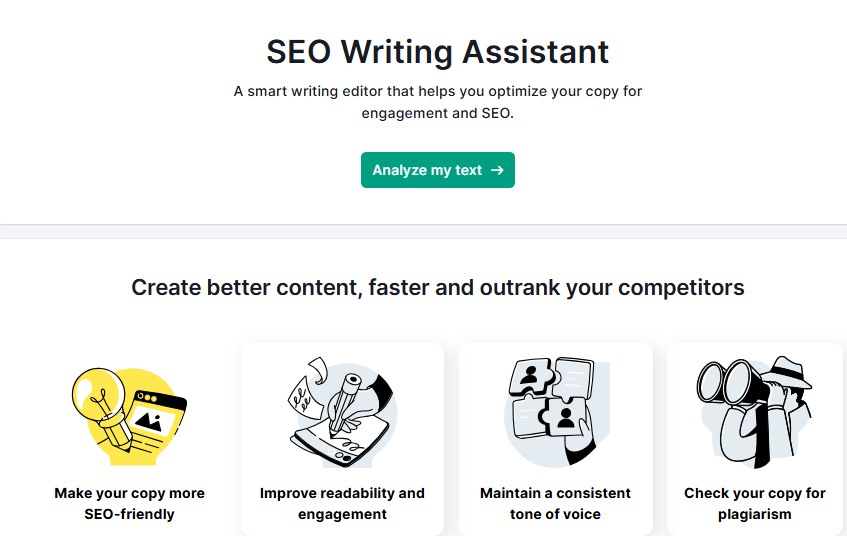
When I want to dig deep into competitor-backed data and combine that with on-page optimization, I reach for Semrush’s SEO Writing Assistant.
It’s perfect for writers who wish not only to make their drafts SEO-friendly but also to have their work backed by real SERP insights. What makes it stand out is how seamlessly it integrates with the broader Semrush ecosystem, so you can go from keyword research to content brief to optimization, all within the same suite.
I’ve personally used it when creating blogs that needed to rank quickly in competitive niches, and the real-time scoring system helped me identify gaps without second-guessing.
Winning Features
The Writing Assistant is built around practical, writer-friendly features that transform any draft into an SEO-ready piece:
- Real-Time SEO Score: Grades your content based on keyword targeting, readability, and SEO best practices.
Competitor Benchmarking: Pulls data from top-ranking pages for your target keyword and compares your content against them. - Tone of Voice Checker: Ensures your content stays consistent with your brand’s tone.
- Readability Suggestions: Highlights sentence structure, wordiness, and jargon that could hurt engagement.
- Plagiarism Checker: Flags duplicate content issues to protect your site’s authority.
This feature also works directly inside Google Docs, WordPress, or Semrush’s editor, which is super handy for writers like me who bounce between platforms.
Pricing: If you want this feature and other advanced features, consider the Guru plan, starting at $249.95/month, which unlocks the Content Marketing Toolkit with the SEO Writing Assistant.
4. Frase
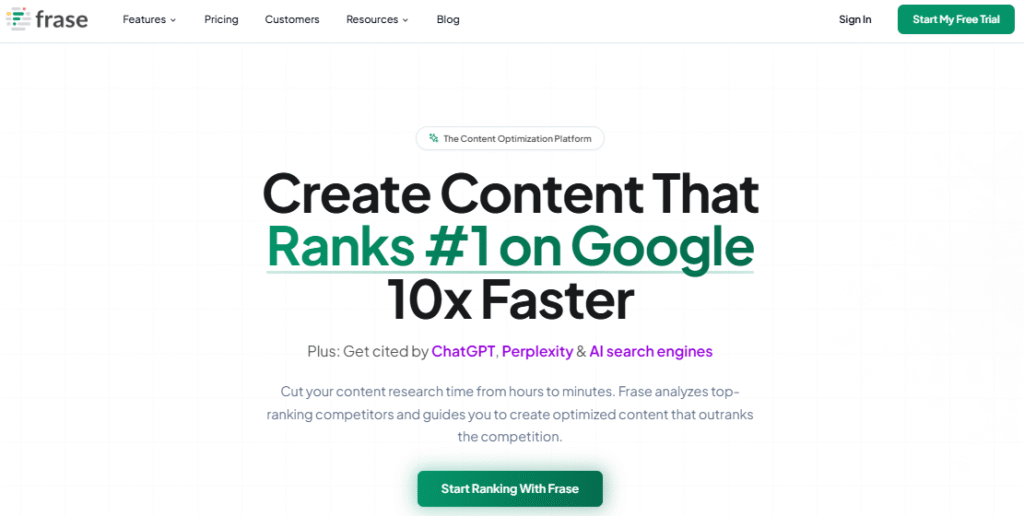
Whenever I need to understand what Google wants for a particular keyword quickly, Frase is the tool I reach for. It’s especially great for writers who don’t just want to write content, but want to write content that matches keyword intent. What makes Frase unique is its ability to turn SERP data into clear, structured content briefs and optimization suggestions.
In my experience, it’s like having a shortcut to figuring out what your competitors are doing right. Instead of manually analyzing 20+ SERP results, Frase does the heavy lifting and presents everything in an actionable format for writers.
Winning Features
Frase is designed with SEO-focused content creation in mind, and its features reflect that:
- AI-Powered Content Briefs: Automatically builds briefs from top-ranking competitors, including headings, questions, and subtopics.
- Content Optimization: Scores your draft against competitors and suggests improvements in keyword usage, structure, and comprehensiveness.
- Search Intent Analysis: Helps identify whether a query is informational, navigational, or transactional, so your content can match the intent.
- Content Research: Surfaces related keywords, FAQs, and People Also Ask data to enrich your content.
- Answer Engine: A unique feature that lets you build AI-powered FAQ pages based on your content.
Pricing: Frase is one of the more budget-friendly AI SEO tools, especially for solo writers, with its basic plan starting at $44.99/month and including more advanced brief and optimization features.
For what it offers, I’d say Frase provides one of the best value-to-feature ratios in the market.
5. Clearscope
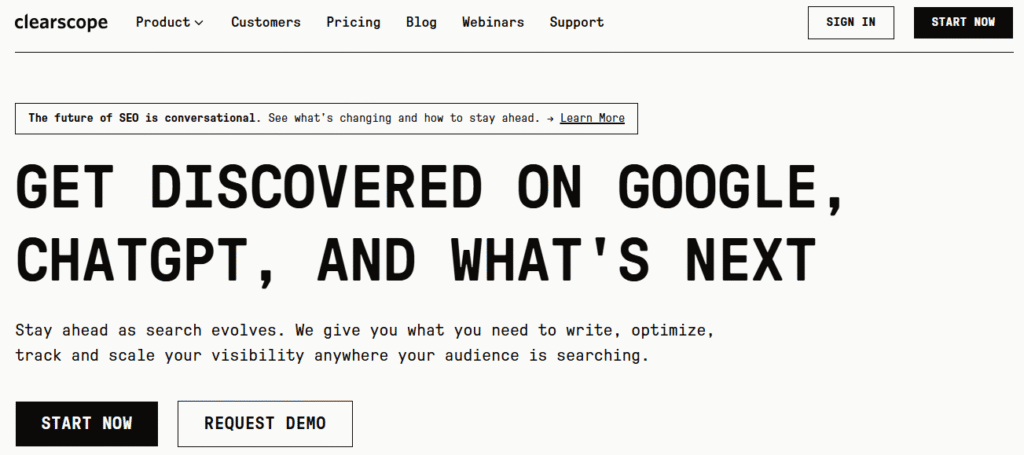
If I had to describe Clearscope in one phrase, it would be the gold standard for content relevance. Whenever I’m working on a blog post that needs to dominate competitive SERPs, this is the tool I use.
Clearscope helps ensure your content has the semantic depth and coverage that Google expects. It’s particularly helpful when you’re writing long-form content that needs to outrank well-established competitors.
Winning Features
Clearscope is built to help writers and editors create content that search engines trust:
- Content Grading: Assigns your draft a grade (A+ to F) based on keyword usage, comprehensiveness, and readability.
- Keyword Recommendations: Provides a list of related terms and semantic keywords pulled from top-ranking pages.
- Real-Time Optimization: As you write, the tool updates your grade so you can track progress instantly.
- Content Reports: Generates detailed reports that highlight missing keywords and sections for improvement.
Pricing: Clearscope is priced as a premium tool, reflecting its reputation as one of the best optimization tools, starting at $170/month and including 20 content reports, real-time grading, and keyword recommendations.
6. Ahrefs

If you’ve been in SEO for a while, you already know Ahrefs is a powerhouse. While it’s often recognized for backlink and keyword research, I’ve also used it as a content optimization software, and it shines at uncovering what competitors are doing and how to close those gaps.
For writers, Ahrefs is perfect for backing up your content with data-driven insights rather than guesswork.
Winning Features
Ahrefs offers a wide range of content-focused optimization features:
- Content Explorer: Lets you analyze millions of articles to find which topics are performing best in your niche.
- Keyword Explorer: Helps uncover long-tail and related keywords with difficulty and volume metrics.
- Site Explorer: Analyzes competitors’ top-performing content so you can replicate or improve on their strategy.
- Content Gap Tool: Identifies keywords competitors rank for that your site doesn’t — invaluable for filling optimization gaps.
- Rank Tracker: Monitors how your optimized content performs over time.
Pricing: Ahrefs is a premium SEO suite, but its depth justifies the price for serious writers and marketers, with its most basic plan starting from $99/month.
Final Word
Choosing the right content optimization software can make the difference between content that gets buried on page 10 and content that dominates the first page of Google.
And as someone who has spent years writing, optimizing, and scaling content strategies, I can tell you that having the right tools isn’t optional anymore.
Whether you go for SEOBoost’s all-in-one optimization suite or any other tool, each of these brings value to your content and marketing strategies. But the key is selecting software that aligns with your workflow, content volume, and SEO goals.
If you’re just starting, I’d suggest trying SEOBoost because it combines content optimization, audits, briefs, and management in one place.
At the end of the day, great tools amplify great strategy and when you combine both, that’s when you start seeing real growth in traffic, rankings, and conversions.
FAQs About Content Optimization Software
What is content optimization?
Content optimization is the process of improving your content to rank higher in search engines. This includes adding the right keywords, enhancing readability, structuring content effectively, and ensuring it aligns with user intent.
Which AI content optimization software is best for content creation?
It depends on your goals. If you want an all-in-one tool, a combination of All In One SEO and SEOBoost would be the top pick for writers and big content teams alike. For detailed competitor analysis, Ahrefs and Semrush are excellent options.